Speak Danish.
Tingskriver writes it down.
A free Windows app that records your meetings, writes Danish meeting notes and lets you dictate straight into whatever app you are working in. Your audio and notes stay on your own computer.
Tingskriver is in early testing and only runs on Windows 11 for now. It is not code signed yet, so Windows shows a warning the first time. Choose "More info" and then "Run anyway". The app itself is in Danish.

What it does
I am building Tingskriver for two things I do every day: writing with my voice and keeping track of my meetings. Below is an honest account of what works today and what is on the way.
Dictation in every app
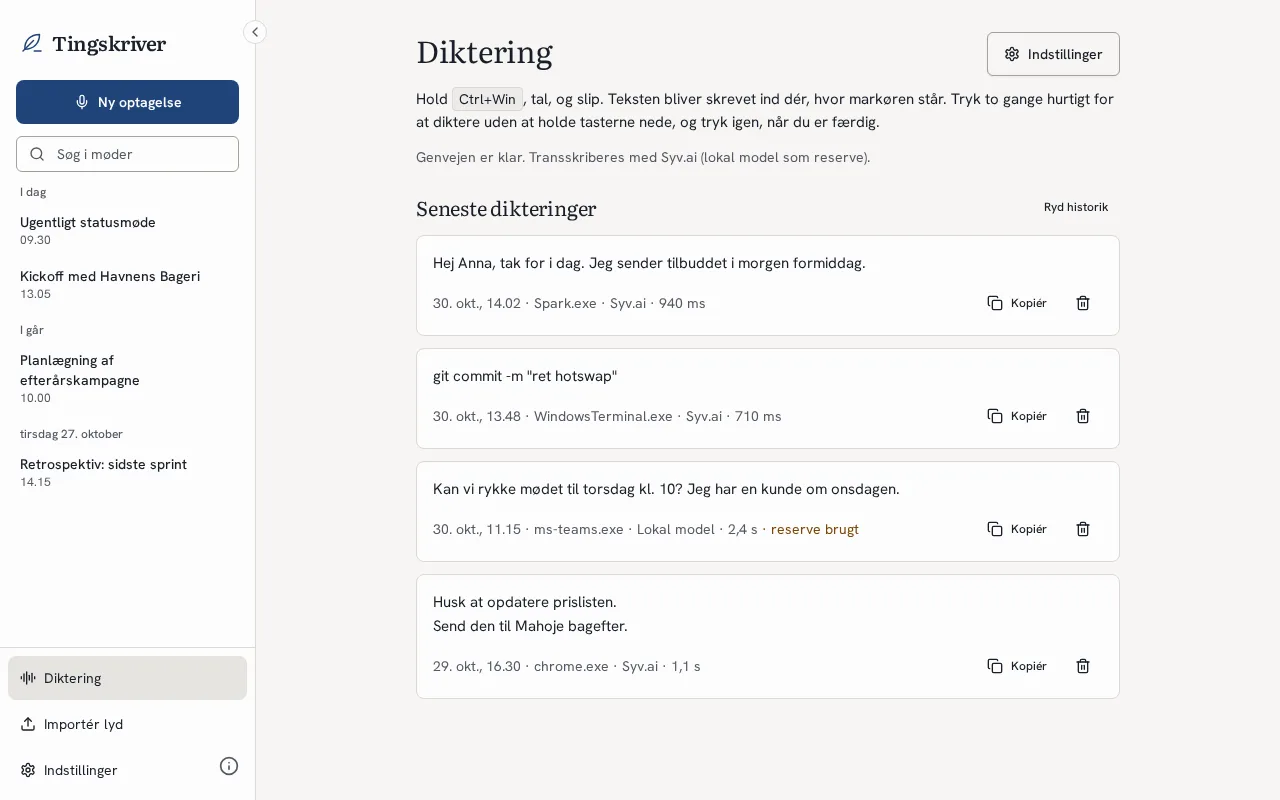
Hold Ctrl + Win, speak, and let go. The text is cleaned up and inserted where your cursor is, whether that is an email, a chat or a document.
- Say the Danish words for full stop, comma or new line, and the character appears.
- Filler words disappear on their own.
- Your own dictionary makes sure names and terms are spelled right.
- Your clipboard is left untouched.
Meetings with notes
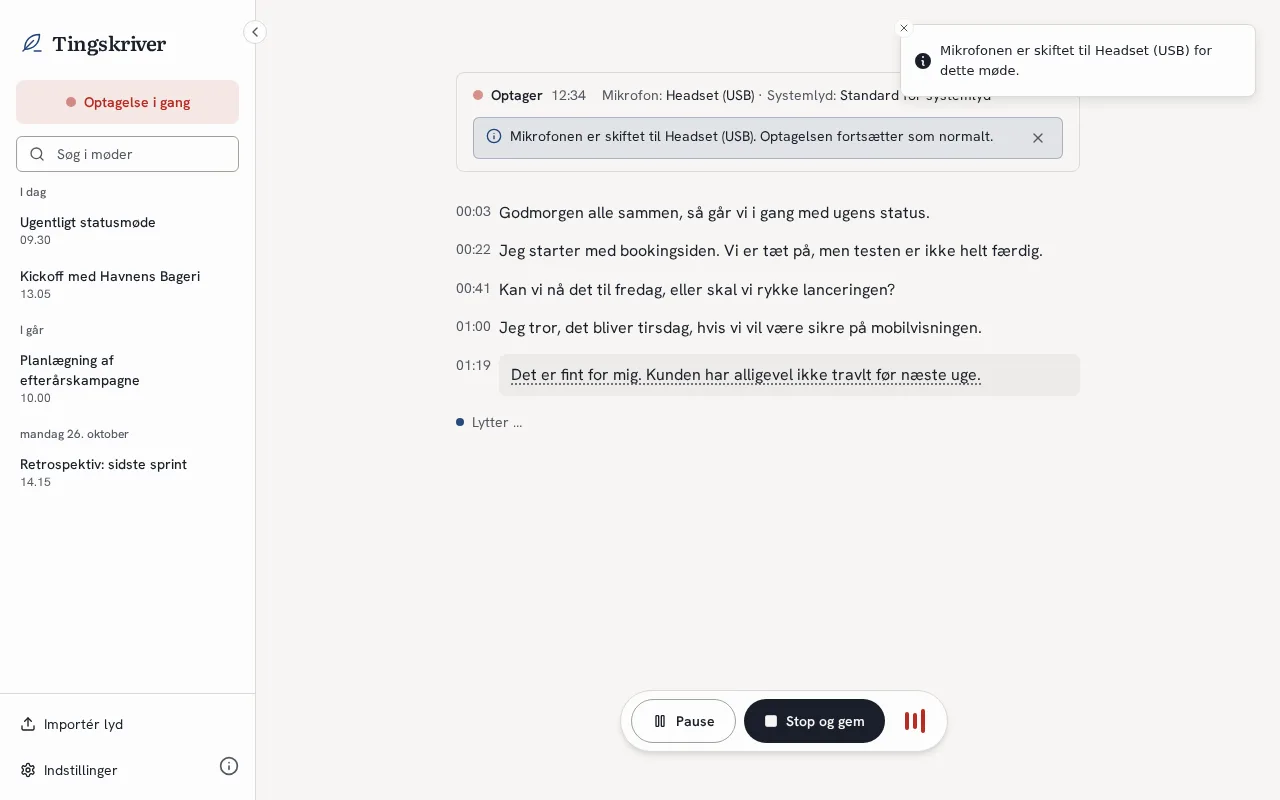
Tingskriver records both your microphone and the meeting audio. Afterwards you get Danish notes with decisions and action items.
- Recording continues if your headset drops out, and switches back when it returns.
- From the next version, muting never makes the recording switch microphone.
- The notes are written by a language model running on your own computer.
On the way: starting automatically when you join a meeting in Teams, Meet or Zoom, your own notes during the meeting, and search across all meetings.
Later: an assistant you can ask
Press a shortcut and ask about what is on your screen or about something from an earlier meeting. That part comes once dictation and meetings work as they should.
You choose who turns speech into text: the built-in local model, Syv.ai, OpenAI, OdinCore or another service with the same kind of API. Without any setup, everything runs locally.
The name
The tingskriver was the clerk who sat at the ting and wrote down what was said and decided.
In old Denmark, people met at the ting, the local assembly and court, to settle cases and make decisions together, and the tingskriver kept the record. That is exactly the job of this app: to listen in and write it down, so you can focus on the conversation.
I wanted an old Danish word rather than yet another English product name. Tingskriver sounds a little dusty, and I like that.
Why I am building it
I have paid for several meeting and video tools and tried many more. None of them quite fit the way I work.
The open meeting recorder I used broke every time my headset dropped out in the middle of a meeting. Its transcription was weak in Danish. And the most polished apps send everything that is said to a service abroad that I have no agreement with.
I talk to clients all day, and I have promised them that what they tell me does not end up in random AI services. So I want an app where the audio and notes stay on my computer, and where I decide whether anything is sent on, and to whom.
I also write a lot. Emails, messages, proposals. Saying it is faster than typing it, but only if the text comes out in proper Danish right away.
So I took a good open meeting recorder and started making it my own: Danish first, robust with headsets and with dictation built in. If it works for me, hopefully it works for others too.
Open source
Tingskriver is not a product for sale. It is a project I build in my own time, and anyone may use it.
- FreeNo subscription, no trial and no paid features. If you use an external service like Syv.ai, you only pay them for what you use.
- MIT licenceAll the code is on GitHub. You may read it, change it and build on it.
- Your dataRecordings, transcripts and notes are files on your computer. There is no account and no cloud to sign in to.
- No trackingThe app sends no statistics about how you use it.
- Your choiceA local model or a service of your choosing. The app says clearly when something leaves your computer.
- Standing on shouldersTingskriver started as a fork of Meetily by Zackriya Solutions, which is also MIT licensed. Thank you. Tingskriver is an independent project with no affiliation to Zackriya.
Contributions are welcome. Bugs and ideas can be filed as issues on GitHub. The app is Windows only for now. Mac and Linux may follow later.
About me
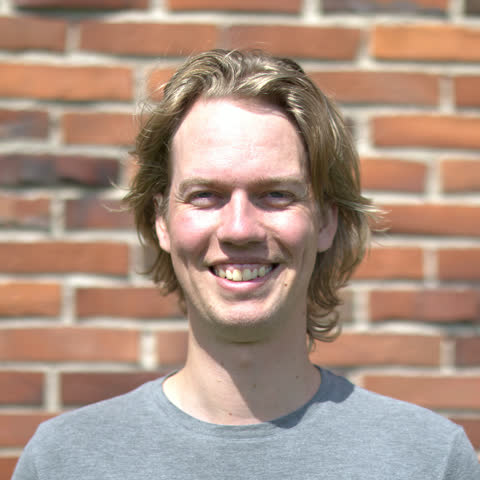
My name is Mads Holst Jensen, a freelance developer on Funen, Denmark. Day to day I build websites, automations and AI tools for small and medium-sized Danish businesses.
Tingskriver started as a tool for myself. I use it every day, so bugs get found quickly and fixed when I run into them myself.
About Mahoje
Mahoje is my company. I am the technical partner for businesses that want one person to take responsibility for their website, AI and operations. Mahoje is behind Tingskriver and pays for it with time, but the app is not part of what I sell.